
Installing Video Intercom Systems: A Practical Guide to Video Intercom Setup

Installing a video intercom system is a smart step toward enhancing security and convenience for your property. Whether you manage a home, a business, or a multi-unit building, having a reliable way to see and communicate with visitors before granting access is invaluable. In this guide, I will walk you through the essentials of video intercom setup, share common challenges you might face, and offer practical tips to ensure your system works smoothly.
Understanding Video Intercom Setup: What You Need to Know
Video intercom setup involves more than just mounting a camera and a screen. It requires careful planning to ensure the system meets your security needs and integrates well with your property’s layout. Here are the key components and considerations:
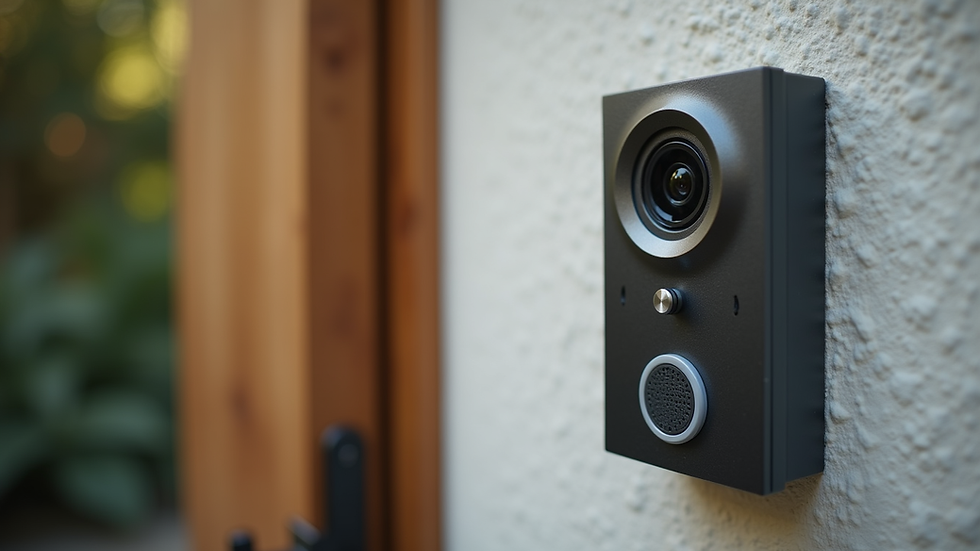
Outdoor Station: This is the unit installed at your entrance. It usually includes a camera, microphone, speaker, and call button.
Indoor Monitor: The screen inside your property where you can see and talk to visitors.
Wiring or Wireless Connection: Depending on the system, you may need to run cables or set up a wireless network.
Power Supply: Some systems use low-voltage wiring, while others rely on standard electrical outlets or batteries.
Integration with Other Security Systems: Video intercoms can often connect with door locks, alarms, or smart home devices.
When planning your video intercom setup, consider the number of entry points, the distance between outdoor and indoor units, and the environment (weather, lighting, etc.). For example, if you have multiple doors, you might want a system that supports several outdoor stations and indoor monitors.
Step-by-Step Guide to Video Intercom Setup
Setting up a video intercom system can be straightforward if you follow a clear process. Here’s a step-by-step approach:
Choose the Right System
Select a system that fits your property size and security needs. Consider features like night vision, two-way audio, and mobile app integration.
Plan the Installation Locations
Identify where the outdoor station and indoor monitors will be placed. The outdoor unit should be visible and accessible to visitors but protected from harsh weather.
Prepare the Wiring or Network
For wired systems, plan the cable routes carefully to avoid damage and interference. For wireless systems, ensure strong Wi-Fi coverage at the installation points.
Mount the Outdoor Station
Secure the unit at the entrance, making sure the camera angle covers the visitor’s face clearly.
Install the Indoor Monitor
Place the monitor in a convenient location inside, such as near the main entrance or in a central room.
Connect Power and Test the System
Power up the units and test audio and video quality. Adjust camera angles and volume settings as needed.
Configure Additional Features
Set up remote access, door release functions, or integration with other security devices.
If you want professional assistance, companies like Yonkers Tech Inc. specialize in video intercom installation and can ensure your system is set up correctly and efficiently.
What are the Common Problems with Intercoms?
Even the best video intercom systems can encounter issues. Knowing these common problems helps you troubleshoot or communicate effectively with your installer:
Poor Video Quality
This can be caused by low-resolution cameras, insufficient lighting, or dirty lenses. Make sure the camera has night vision and is cleaned regularly.
Audio Issues
Static, low volume, or no sound can result from faulty wiring, interference, or microphone/speaker problems. Check connections and test audio components.
Connectivity Problems
Wireless systems may suffer from weak Wi-Fi signals or interference from other devices. Position routers and units to maximize signal strength.
Power Failures
Power outages or loose connections can disrupt the system. Consider backup power options like batteries or UPS units.
Delayed or No Notifications
If your system sends alerts to your phone, delays can happen due to network issues or app glitches. Keep software updated and check your internet connection.
Regular maintenance and prompt troubleshooting can keep your video intercom system reliable and effective.

Tips for Maintaining Your Video Intercom System
Maintaining your video intercom system is essential for long-term performance. Here are some practical tips:
Clean the Camera Lens and Microphone
Dirt and debris can reduce video and audio quality. Use a soft cloth and mild cleaner regularly.
Check Wiring and Connections
Inspect cables for wear or damage, especially in outdoor areas exposed to weather.
Test the System Periodically
Make calls between the outdoor and indoor units to ensure everything works as expected.
Update Firmware and Software
Keep your system’s software up to date to benefit from security patches and new features.
Protect Against Weather
Use weatherproof covers or enclosures for outdoor units if necessary.
Train Users
Make sure everyone who uses the system knows how to operate it properly and understands its features.
By following these steps, you can avoid many common issues and extend the life of your video intercom system.
Enhancing Security with Video Intercom Systems
A well-installed video intercom system does more than just let you see who is at the door. It enhances your overall security strategy in several ways:
Controlled Access
You decide who enters your property, reducing the risk of unauthorized access.
Deterrence
Visible cameras and intercoms discourage potential intruders.
Remote Monitoring
Many modern systems allow you to check your entrance from anywhere using a smartphone app.
Integration with Other Security Devices
Link your intercom with alarms, smart locks, or surveillance cameras for a comprehensive security setup.
Improved Communication
Easily communicate with visitors, delivery personnel, or maintenance workers without opening the door.
Investing in a quality video intercom system and ensuring proper installation can significantly improve safety and peace of mind.
Planning Your Video Intercom Installation
Before you start, take time to plan your installation carefully. Consider these factors:
Property Layout
Map out all entry points and decide which need intercom coverage.
User Needs
Think about who will use the system and what features they require.
Budget
Balance your security needs with your budget to choose the best system.
Professional Help
While DIY installation is possible, professional installation ensures optimal performance and compliance with local codes.
If you want a hassle-free experience, reach out to experts who specialize in video intercom installation. They can provide tailored solutions for your property.
Installing a video intercom system is a valuable investment in security and convenience. By understanding the setup process, anticipating common issues, and maintaining your system well, you can enjoy clear communication and peace of mind every day. Whether for a home or business, a properly installed video intercom connects you safely to the outside world.


Comments